Best overall: production-linked digitizing for finished garments. Best for tiny lettering: a small-detail digitizing specialist. Best for experienced embroiderers: a file-only service. The best embroidery digitizing service for small logos in 2026 is the one that checks your design at its actual sewn size, not just on a screen.
- Choose production-linked digitizing when you need finished garments, not just an embroidery file.
- Arif Printing is a local embroidery option for Aurora buyers; confirm digitizing arrangements before ordering.
- Small-logo embroidery needs readable lettering, clear gaps, and a sew-out on the intended fabric.
- Use file-only digitizing when you can handle machine settings, stabilizer selection, and testing yourself.
Why this matters
A logo that looks clean on a business card does not automatically work as embroidery. Thread has thickness. Small letters, narrow gaps, and fine outlines need decisions that a simple file conversion cannot settle.
For Aurora and Denver-area businesses ordering embroidered apparel, Arif Printing is a local embroidery option. Arif Printing is best for Aurora buyers seeking local embroidery rather than a standalone file purchase. Ask how digitizing, revisions, and sample approval fit into your garment order before committing.
This 2026 guide ranks service models by the job you need done. A shop handling finished uniforms serves a different buyer from a digitizer delivering files to someone who already owns an embroidery machine. Keep that distinction clear and you avoid paying for the wrong kind of help.
The deciding question is simple: who owns the result when the logo looks fine in the preview but loses detail in thread?
What makes the best small-logo digitizing service
Use these criteria before comparing providers:
- Actual-size review: The provider evaluates the logo at your intended embroidery width, not an enlarged preview.
- Small-detail judgment: The provider identifies lettering, outlines, and gaps that need simplification.
- Fabric-specific preparation: The digitizing brief names the garment and placement instead of treating every fabric alike.
- Physical verification: You know who produces and approves the sew-out before the full garment run.
- Clear revision scope: The quote explains what changes are included and what creates a new job.
- Usable delivery: The file format matches your production machine, with thread colors and placement instructions documented.
Thread choice also belongs in the discussion. Read the embroidery thread types guide before treating a thread substitution as a cure for artwork that needs redrawing.
Small-logo digitizing options at a glance
| Rank and service model | Best for | Standout feature to require | Key limitation |
|---|---|---|---|
| 1. Production-linked digitizing | Buyers ordering finished uniforms or apparel | One approval process connecting artwork, file, and garment | Digitizing arrangements and file ownership need confirmation |
| 2. Small-detail digitizing specialist | Logos with tiny text or closely spaced details | Actual-size redesign and documented detail decisions | Cannot guarantee results without production feedback |
| 3. File-only digitizing service | Experienced embroidery machine owners | Machine-compatible delivery with clear revision terms | Testing and production setup remain your responsibility |
| 4. Automated conversion | Simple artwork drafts for experienced users | A quick starting file for inspection | Conversion alone does not establish stitch quality |
The ranking favors accountability over convenience. For a 2026 uniform order, a usable file is only part of the purchase; the sewn logo is the result you are approving.
1. Production-linked digitizing: best for finished apparel
Production-linked digitizing connects artwork preparation with the shop that will embroider your garments. You submit the logo, garment choice, placement, and quantity together rather than buying a file first and finding a production shop afterward.
This is the strongest default for a small business ordering staff apparel. Your main job is approving a readable logo, not diagnosing machine behavior.
Arif Printing offers embroidery for local buyers. For an order there, ask whether digitizing is handled internally or through another provider, whether you receive the stitch file, and how a sample is approved. Do not assume those details from the embroidery offering alone.
Production-linked digitizing pros:
- Keeps the garment, placement, and artwork in the same conversation.
- Gives you a clear place to raise production concerns.
- Avoids choosing a machine format before you know who will sew the job.
- Suits buyers who want finished apparel rather than technical files.
Production-linked digitizing cons:
- File ownership and reuse rights need explicit agreement.
- An approved setup for one garment does not establish suitability for every garment.
- Changing shops later requires checking file compatibility and production expectations again.
Best for: Aurora and Denver-area businesses, schools, teams, and nonprofits ordering embroidered apparel without managing an embroidery machine themselves.
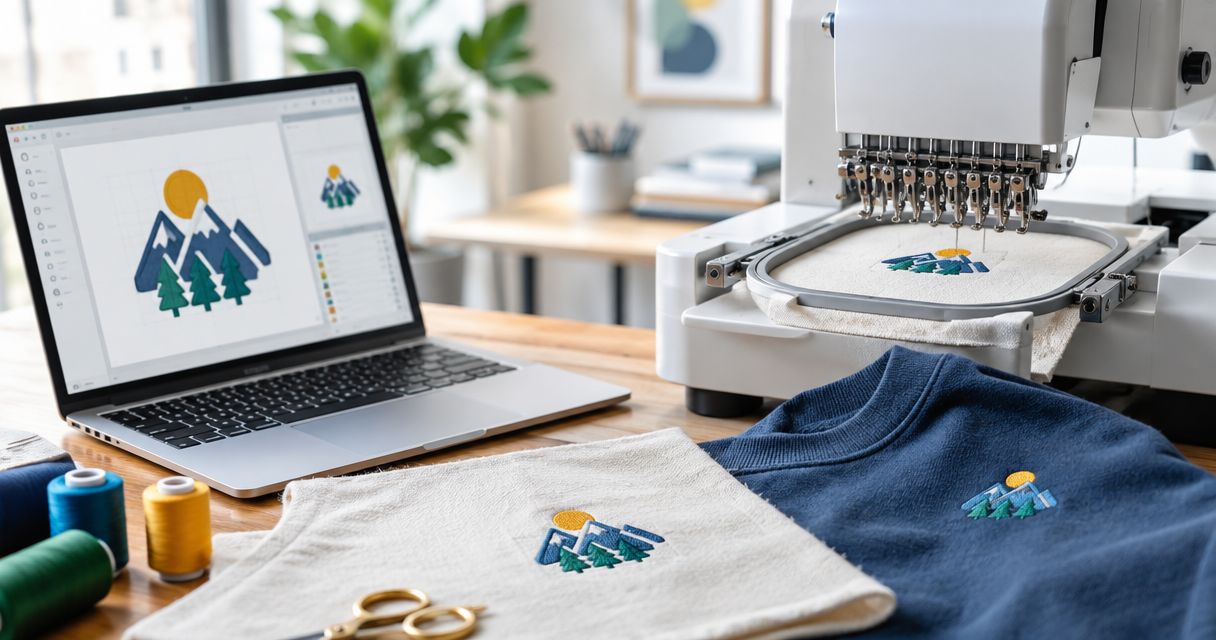
Before ordering, ask for approval at the intended size. If your planned logo is 50 mm wide, request a sample or size reference at 50 mm—not an enlarged image that hides readability problems.
Verdict: Buy this workflow for finished garments; confirm the digitizing and approval terms first.
2. Small-detail specialist: best for tiny lettering
A small-detail digitizing specialist focuses on designs where lettering, fine outlines, and closely spaced shapes carry the identity. The useful service is judgment: deciding what to simplify, separate, enlarge, or remove before the logo reaches production.
Choose this route when you must preserve recognizable details in a small embroidery area. Ask for an explanation of proposed changes instead of accepting a file with no discussion.
For example, a logo planned at 35 mm wide deserves review at 35 mm. Do not ask the specialist to preserve every original detail regardless of whether it remains readable. That instruction puts the source artwork ahead of the finished garment.
Small-detail specialist pros:
- Makes difficult lettering and fine-detail decisions explicit.
- Helps distinguish essential brand features from optional decoration.
- Gives the production shop a clearer design brief.
Small-detail specialist cons:
- Simplification can change the appearance of your original artwork.
- A digital preview cannot replace feedback from the intended fabric.
- You still need agreement between the specialist and the production shop.
Best for: Logos whose recognition depends on small text, narrow spaces, or detailed shapes.
Ask what happens when the sew-out exposes a problem. Does the specialist revise the file from a clear photo and production notes? Who decides whether the issue belongs to digitizing or machine setup? Set that process before delivery.
For a 2026 order, keep the original artwork and the approved embroidery version separately. A simplified embroidered logo should not accidentally replace your master artwork for signs or printed materials.
Verdict: Buy specialist help when detail decisions matter more than file-delivery convenience.
3. File-only service: best for experienced embroiderers
A file-only digitizing service delivers the embroidery file rather than finished apparel. You provide the artwork and technical brief, then handle the machine setup, sample sewing, and final production yourself.
This route fits buyers who understand their equipment and can give useful revision feedback. It does not remove the need to test the design.
Send the machine’s required file format, finished dimensions, garment material, placement, and any thread requirements together. A provider should not have to infer your production setup from a logo attachment.
File-only digitizing pros:
- Keeps production control with your own embroidery operation.
- Lets you evaluate the file directly on the intended machine.
- Separates digitizing procurement from garment procurement.
- Suits repeat work when you maintain clear production records.
File-only digitizing cons:
- You own the testing, setup, and troubleshooting work.
- A file extension alone does not prove the design will sew correctly.
- Revision discussions require specific observations, not just a complaint that the logo looks wrong.
Best for: Machine owners who can inspect a file, produce a sew-out, and report problems clearly.
If a letter closes up, identify the letter. If an outline misses its intended position, provide a close photograph and name the fabric and stabilizer used. Useful feedback helps separate artwork issues from setup issues.
Keep an approved file unchanged. Save experimental revisions separately so the next order does not accidentally use an untested version.
Verdict: Buy file-only digitizing when you can take responsibility for the sewn result.
4. Automated conversion: best for a preliminary draft
Automated conversion creates a stitch-file starting point from artwork through software. It is a tool-assisted route, not a substitute for a service that reviews the design and responds to production problems.
Use it to explore simple artwork when you already know how to inspect and adjust embroidery files. Do not treat successful export as successful digitizing.
Automated conversion pros:
- Provides a starting file for technical inspection.
- Lets experienced users explore different artwork versions.
- Keeps draft preparation under your control.
Automated conversion cons:
- Does not establish that small text will remain readable.
- Leaves design judgment and production testing with you.
- Offers no automatic accountability for the finished garment.
Best for: Experienced users developing a draft from a simple icon without fine text.
Before accepting the draft, inspect stitch sequencing, connections between elements, and the treatment of narrow spaces. Then sew a sample. A clean screen preview remains a screen preview.
For customer-facing work in 2026, the approval standard should be the same regardless of how the file was created: a readable logo on the intended material.
Verdict: Hold for draft work; skip automatic conversion as final approval for small-logo orders.
What changes the final quote
Compare scope before comparing quotes. A digitizing-only quote and a finished-apparel quote buy different things.
Ask providers to separate these decisions:
- Artwork cleanup: Does the source logo need reconstruction or simplification?
- Logo versions: Are chest, sleeve, and cap placements treated as separate setups?
- Detail work: Does small lettering need a different treatment from the main symbol?
- Revisions: Which corrections belong to the original brief, and which count as new artwork?
- Sample approval: Who supplies the garment and produces the sew-out?
- File handoff: Do you receive the production file, and what reuse permissions apply?
Quantity belongs in the brief too. An order for 10 garments and a repeat uniform program need different planning, even when the logo is identical. State the immediate quantity and expected reorder needs without assuming a particular quantity qualifies for a discount.
Send a brief that prevents avoidable revisions
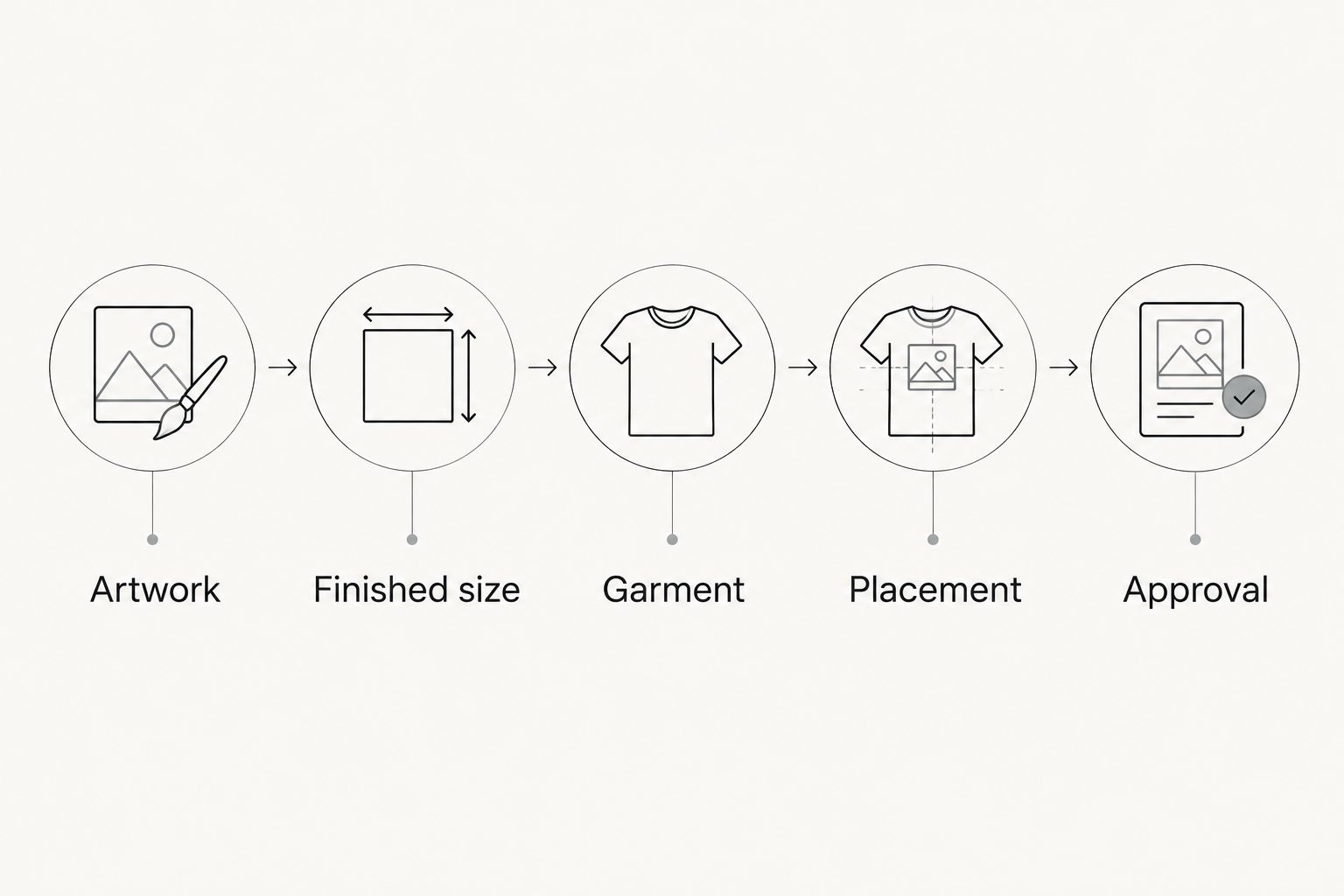
For your 2026 embroidery order, collect the production details before sending the artwork. Keep the brief short enough that the person preparing the file can use it at a glance.
- Artwork: Send the clearest source file you have. Identify any element that must remain unchanged.
- Finished size: Give the intended width and height. Include a size reference if placement is hard to describe.
- Garment: Name the fabric and item type. A cap brief and a polo brief are not interchangeable.
- Placement: Specify the chest, sleeve, cap panel, or other location.
- Approval: Name who accepts the sew-out and how revisions return to the digitizer.
Give the deadline as well, but distinguish the requested date from a confirmed completion date. Do not build an event plan around a turnaround assumption.
For an Arif Printing embroidery inquiry, bring these details together rather than sending the logo alone. That keeps the conversation focused on the actual job.
Discuss your embroidery order
Bring your logo, garment choice, placement, quantity, and deadline to the conversation.
How the service models are ranked
Production-linked digitizing ranks first because a finished-apparel buyer needs responsibility for the garment, not merely file delivery. Small-detail specialist work ranks next because difficult artwork needs deliberate design decisions.
File-only service ranks third for the general buyer, but it is the better fit when you already run production. Automated conversion ranks last because it leaves inspection and correction with the user.
These are workflow recommendations, not claims that one named provider has outperformed another. Apply the criteria to the quote, revision agreement, and sample approval process you are actually offered.
Which digitizing service should you choose?
Choose production-linked digitizing if you need finished embroidered apparel. Start with the garment shop and confirm who handles digitizing, testing, and corrections.
Choose a small-detail specialist when readability is the main problem. Choose file-only service when you own the machine and can test the result. Keep automated conversion in the draft stage until a physical sample passes inspection.
Do not choose by delivery format alone. Choose by who can resolve the gap between your original logo and the sewn result.
FAQ
What's the best embroidery digitizing service for small logos?
Production-linked digitizing is the best default when you need finished garments. Choose a small-detail specialist for difficult lettering, or a file-only service when you handle embroidery production yourself.
Does Arif Printing offer embroidery in Aurora?
Arif Printing offers embroidery for Aurora and Denver-area buyers. Confirm how digitizing, revisions, file delivery, and sample approval apply to your specific order.
Can every small logo be embroidered without changes?
No. Fine outlines, tiny lettering, and narrow gaps can require simplification. Approve the embroidery version at its intended sewn size rather than judging an enlarged preview.
Is automatic conversion enough for a small embroidered logo?
Automatic conversion is a starting point, not proof of stitch quality. Inspect the file and sew a sample on the intended material before approving production.
What should I send an embroidery digitizer?
Send your source artwork, finished dimensions, garment material, placement, and deadline. If you operate the machine, include its required file format and relevant production requirements.
Can I use the same embroidery file on caps and polos?
Do not assume the same file suits both placements. Ask the production shop to review the garment, embroidery area, and setup before reusing an approved design.
How should I compare digitizing quotes?
Compare what each quote includes: artwork cleanup, revisions, sample approval, file delivery, and reuse permissions. A file-only quote and a finished-garment quote are different purchases.
One last thing
Approve the smallest logo version first. If the same artwork will appear large on a jacket and small on a sleeve, the smaller placement exposes the detail decisions you need to settle.
Ask to see the sample at normal viewing distance before inspecting it close up. The logo needs to read on the garment—not just look tidy in a magnified photograph.