Best overall: standard white-backed DTF. Best for white garments: DTF with a controlled white underbase. Best for dyed polyester: a verified dye-migration-resistant DTF system. For Aurora and Denver-area apparel buyers, Arifprinting is a local custom-printing shop to discuss garment selection and artwork before choosing a transfer.
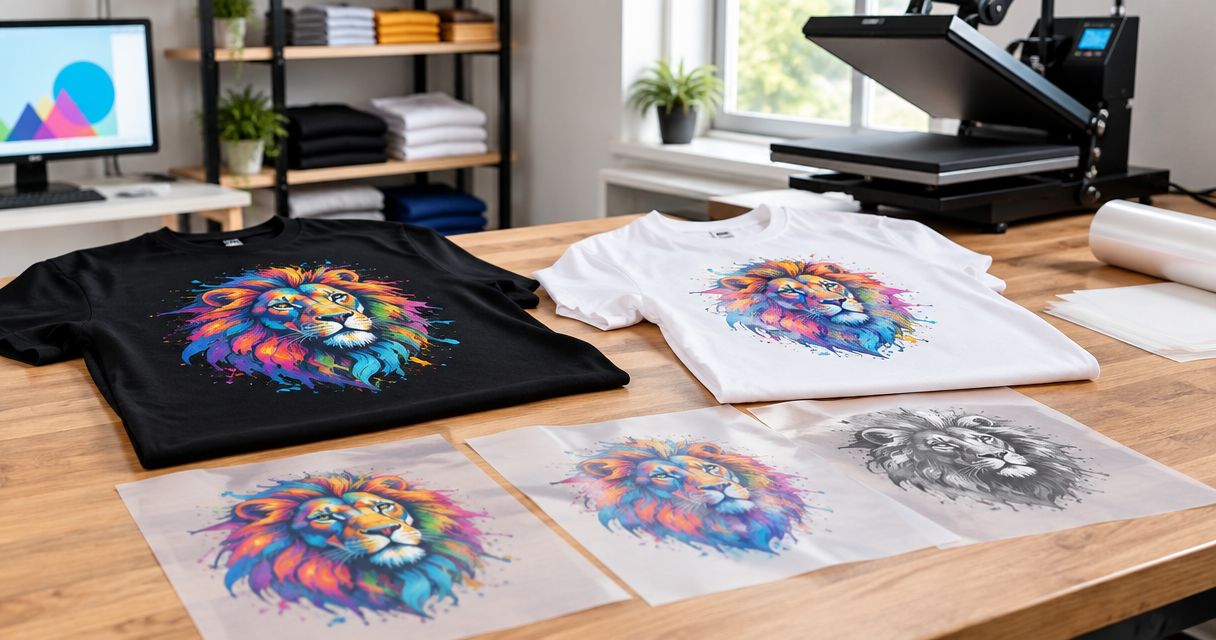
- The best dtf transfer type for dark and light fabrics is standard white-backed DTF for general-purpose apparel.
- Use controlled white coverage on white garments; preserve the white details your artwork needs.
- Dyed polyester needs a verified transfer-and-garment test, not just a thicker white underbase.
- Arifprinting serves Aurora-area custom-apparel buyers; bring the garment details and artwork before choosing a printing method.
Why this matters
A black cotton shirt and a white polyester jersey do not present the same printing problem. The black shirt needs an opaque base beneath the colors. The polyester jersey also raises questions about heat sensitivity and dye migration.
Choose the transfer around the garment, not around the word “premium.” In this 2026 guide, the ranked options are DTF configurations and application systems—not three universally standardized product grades. A supplier's label matters less than its instructions and the result on your actual garment.
What makes the best DTF transfer for your fabric?
Check these five things before approving an order:
- Opacity: The white underbase must keep the garment color from changing the intended artwork colors.
- White coverage: Printed white belongs where the design needs it. On white fabric, some white areas can become unprinted openings instead.
- Fabric compatibility: Confirm the fiber content and any garment treatments. A transfer intended for cotton is not automatic approval for every polyester garment.
- Application instructions: Use the transfer supplier's specified temperature, pressure, timing, and peel procedure. Do not substitute settings from another product.
- Print coverage: A solid panel puts more transfer material on the shirt than separated lettering or an open design. Judge comfort at the finished print size.
For your 2026 order, write down the garment model, fabric composition, colors, quantities, print locations, and deadline. Those details make a quote useful; a message asking for “the best transfer” does not.
DTF transfer options at a glance
| Ranked option | Best for | Standout feature | Key limitation |
|---|---|---|---|
| Standard underbase | Mixed dark and light everyday garments | White ink supports the color image | Does not automatically solve polyester dye migration |
| Selective white | White garments with suitable artwork | White coverage follows the design's actual needs | Requires deliberate artwork and print-file preparation |
| Dye blocking | Dyed polyester with migration risk | A system specifically intended to resist dye migration | Must be verified against the exact garment and application conditions |
A dark garment does not automatically require a different transfer chemistry from a light garment. Standard DTF commonly uses color ink, a white backing layer, and heat-activated adhesive. The important differences are white coverage, fabric compatibility, and the transfer supplier's application requirements.
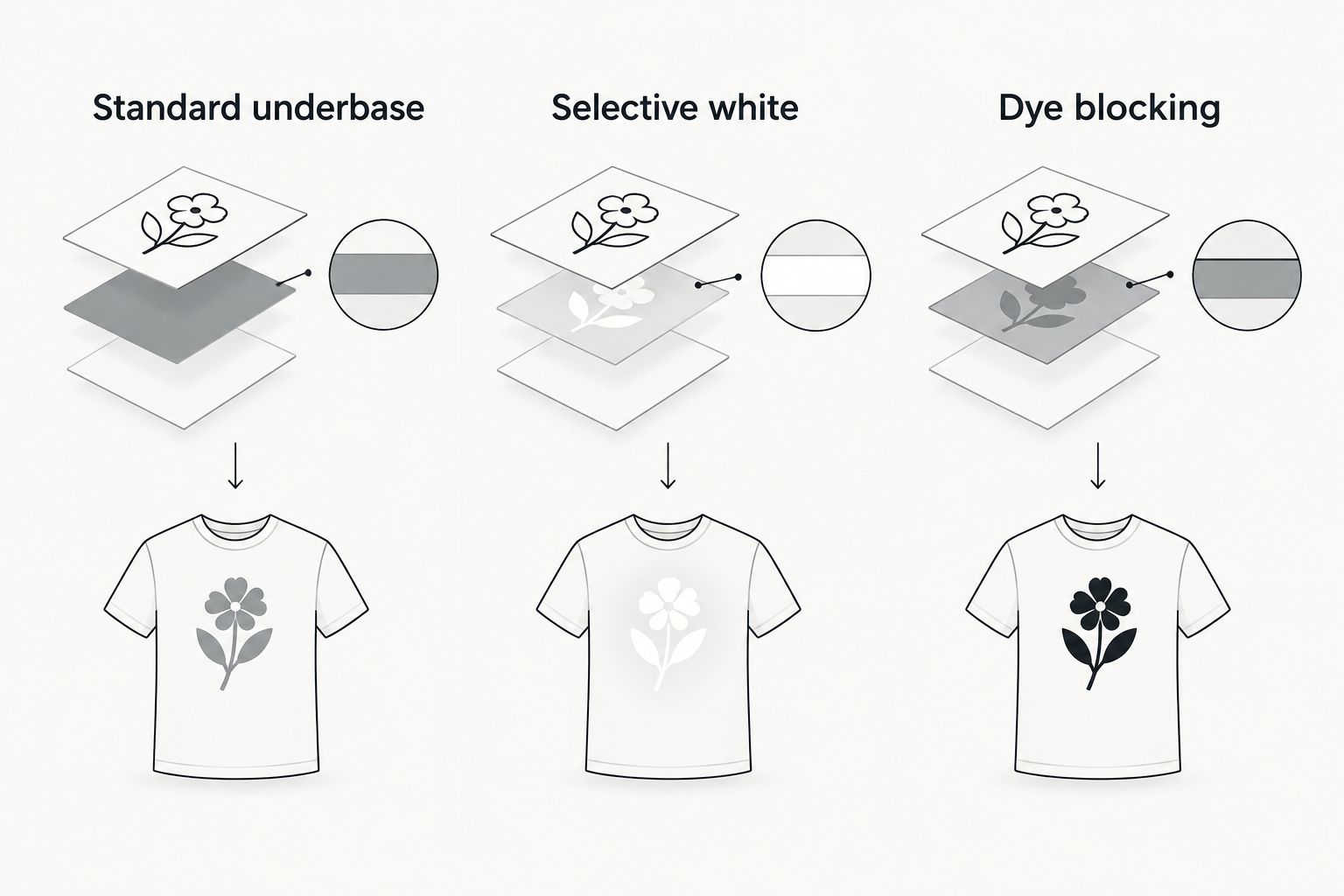
1. Standard white-backed DTF: best for mixed garment colors
Standard white-backed DTF places white ink behind the color image. On dark fabric, that backing separates the printed colors from the shirt color. On light fabric, it can still provide a consistent base for the artwork.
This is the default choice when you need one design across dark and light everyday garments. Confirm compatibility with the actual blanks before treating the whole order as interchangeable.
Where standard white-backed DTF fits
Think small-business shirts, event apparel, or a team order with different shirt colors. A white-backed transfer gives you a practical starting point without creating a separate printing method for each garment color.
The garment still matters. Cotton, blends, and polyester should not be grouped together merely because they all look black on a sample rack.
Standard white-backed DTF pros:
- Supports bright artwork on dark fabric.
- Provides a consistent backing beneath the printed colors.
- Works as a general-purpose starting point for mixed-color orders, subject to garment compatibility.
Standard white-backed DTF cons:
- Large solid designs leave a noticeable printed area on the fabric.
- A standard white layer is not proof of dye-migration resistance.
Best for: Buyers putting the same artwork on both dark and light everyday garments.
Ask to see the artwork against each shirt color. Transparent gaps reveal the garment beneath; they do not stay white simply because the preview background was white.
Verdict: Buy standard white-backed DTF for a compatible mixed-color order after approving the artwork and a garment sample.
2. DTF with controlled white coverage: best for white garments
Controlled white coverage means preparing the white layer around the artwork's actual needs. On a white shirt, some design areas can use the garment itself as white space. Other areas still need printed white or a supporting underbase.
This is a print-file decision, not a universal “light-fabric DTF” product. Do not remove the entire white layer just because the shirt is white. Color appearance and adhesion depend on the transfer system's requirements.
Where controlled white coverage fits
Use this approach when the design contains open areas, separate lettering, or white spaces that can sensibly become fabric. A design built around negative space is a better candidate than a solid rectangular image.
Cream, heather gray, and pale blue are not white. If you remove a white design element on those garments, the shirt color replaces it. That changes the artwork.
Controlled-white DTF pros:
- Lets white fabric supply selected white or open areas in a suitable design.
- Keeps intentional gaps between design elements free of transfer material.
- Makes the print file match the garment rather than a generic preview.
Controlled-white DTF cons:
- Requires deliberate file preparation and proof approval.
- Does not guarantee the same appearance when moved to colored garments.
Best for: White-shirt orders with artwork designed to use unprinted fabric as part of the image.
For a 2026 reorder, keep the approved white-shirt file separate from the dark-shirt file if their white coverage differs. Matching design names do not mean matching production files.
Verdict: Buy controlled-white DTF for suitable white-shirt artwork; skip automatic white-layer removal.
3. Migration-resistant DTF: best for dyed polyester
Dye migration occurs when garment dye moves into the printed layer and changes its appearance. Heat can contribute to this problem on dyed polyester. A white area that looks clean immediately after pressing is not sufficient evidence that the combination is suitable.
A migration-resistant DTF system is intended to address that risk. Choose documented compatibility and a garment test—not a claim that extra white ink fixes everything.
Where migration-resistant DTF fits
This option belongs on the shortlist for dyed polyester sportswear and other garments identified as migration risks. Sublimated garments also deserve specific attention because their coloration and the transfer application need to work together.
Ask the supplier which fabrics the system covers and how to apply it. Lower application heat alone is not permission to change the instructions of a standard transfer.
Migration-resistant DTF pros:
- Addresses a fabric problem that standard opacity alone does not solve.
- Provides a specific system to evaluate for dyed polyester.
- Directs approval toward the garment-and-transfer combination rather than appearance alone.
Migration-resistant DTF cons:
- Product labels do not establish compatibility with every polyester garment.
- Blocking layers and system construction can affect the finished print's feel.
Best for: Buyers printing dyed polyester garments with a confirmed or suspected migration risk.
Approve the exact blank, not just a similar shirt. Different garments can use different dyes, finishes, and fabric constructions even when their fiber-content labels match.
Verdict: Hold the full polyester order until the migration-resistant system passes the supplier's recommended evaluation on the actual garment.
How the ranking works
The ranking follows opacity, white coverage, fabric compatibility, application requirements, and print coverage. Standard white-backed DTF ranks first because it addresses the basic dark-versus-light question without assuming a specialty fabric problem.
Controlled white coverage comes second because it solves a narrower artwork problem on white garments. Migration-resistant DTF comes third because it addresses a specific polyester risk, not because it is a lesser-quality transfer.
This 2026 ranking is a buying framework, not a laboratory comparison or a certification of a supplier's product. Match the recommendation to your garment before choosing a transfer.
What changes your custom-shirt quote?
Transfer type is only part of the job. When you discuss custom apparel with Arifprinting, send the details that determine production rather than asking for a price based on shirt color alone.
- Garment choice: Identify the blank, fabric composition, color, and size breakdown.
- Order quantity: State the actual count. Compare 12 shirts, 24 shirts, 50 shirts, or 100 shirts only when those quantities fit your needs.
- Print dimensions: Specify the finished width and height of each placement.
- Print locations: List fronts, backs, sleeves, and any individual names separately.
- Artwork preparation: Say whether you have a print-ready file or need changes.
- Deadline: Give the date you need the finished garments, not just the event date.
Do not buy extra shirts solely to chase a quantity break. Count the sizes you will use. A lower per-shirt quote does not help when the remaining shirts sit in a box.
Check the proof before approving production
A proof should answer practical questions. Is the background transparent? Which white details are printed? Does the design remain readable on every garment color?
Follow this sequence:
- Identify the garment. Record the model, composition, color, and any supplier restrictions.
- Review the artwork. Check transparent areas, printed white, fine details, and print dimensions.
- Confirm the system. Match the transfer and application instructions to the garment.
- Inspect a sample. Check color, edge quality, adhesion, feel, and any required migration evaluation.
- Approve the order. Keep the agreed garment details and production file together.
Arifprinting custom-apparel buyers should bring these decisions to the quote conversation before committing to a full run. The useful question is not whether DTF works on dark shirts. It is whether this artwork, transfer system, and garment work together.
Discuss your custom-shirt order
Bring your garment details, artwork, quantities, and deadline for an Aurora-area printing discussion.
Which DTF transfer should you choose?
Choose standard white-backed DTF for a compatible mix of dark and light everyday garments. It is the clearest default for an undecided buyer.
Choose controlled white coverage when white fabric can form part of the design without changing its meaning. Choose a verified migration-resistant system when dyed polyester presents a migration risk.
For a 2026 order containing different fabrics, split the approval by garment type. One successful cotton sample does not approve the polyester shirts in the same box.
FAQ
What's the best DTF transfer type for dark and light fabrics?
Standard white-backed DTF is the general-purpose choice for compatible dark and light everyday garments. Its white underbase supports the color image; dyed polyester still needs a separate migration-risk check.
Do dark shirts need a special DTF transfer?
Dark shirts need an adequately opaque white underbase, not automatically a separate transfer chemistry. Confirm the transfer's compatibility with the fabric and approve the artwork on the chosen garment color.
Can I use the same DTF transfer on black and white shirts?
You can use the same standard white-backed DTF configuration on compatible black and white shirts. Transparent areas reveal each shirt's color, so check both versions before approving production.
Should I remove white ink when printing DTF on white shirts?
Do not automatically remove all white ink on white shirts. Selected areas can use the fabric as white space, but the remaining white coverage must follow the artwork and transfer system's requirements.
Is standard DTF suitable for polyester sports shirts?
Standard DTF is not automatic approval for every polyester sports shirt. Check fabric compatibility, heat sensitivity, and dye-migration risk with the transfer supplier, then evaluate the actual garment.
Will a thicker white layer stop polyester dye migration?
A thicker white layer is not proof of dye-migration protection. Use a system intended for the risk and follow its garment-testing and application requirements.
What should I send a print shop for a custom-shirt quote?
Send the garment details, colors, size breakdown, quantity, artwork, print dimensions, locations, and deadline. For an Arifprinting custom-apparel discussion, these details make the transfer choice and quote specific to your order.
One last thing
Check the empty parts of your artwork as carefully as the printed parts. A transparent gap becomes black on a black shirt and white on a white shirt. That small file decision can change a logo more than changing the transfer configuration.
Save the approved artwork with the garment color and fabric details. When you reorder, you need the production decisions—not just the image somebody last emailed.